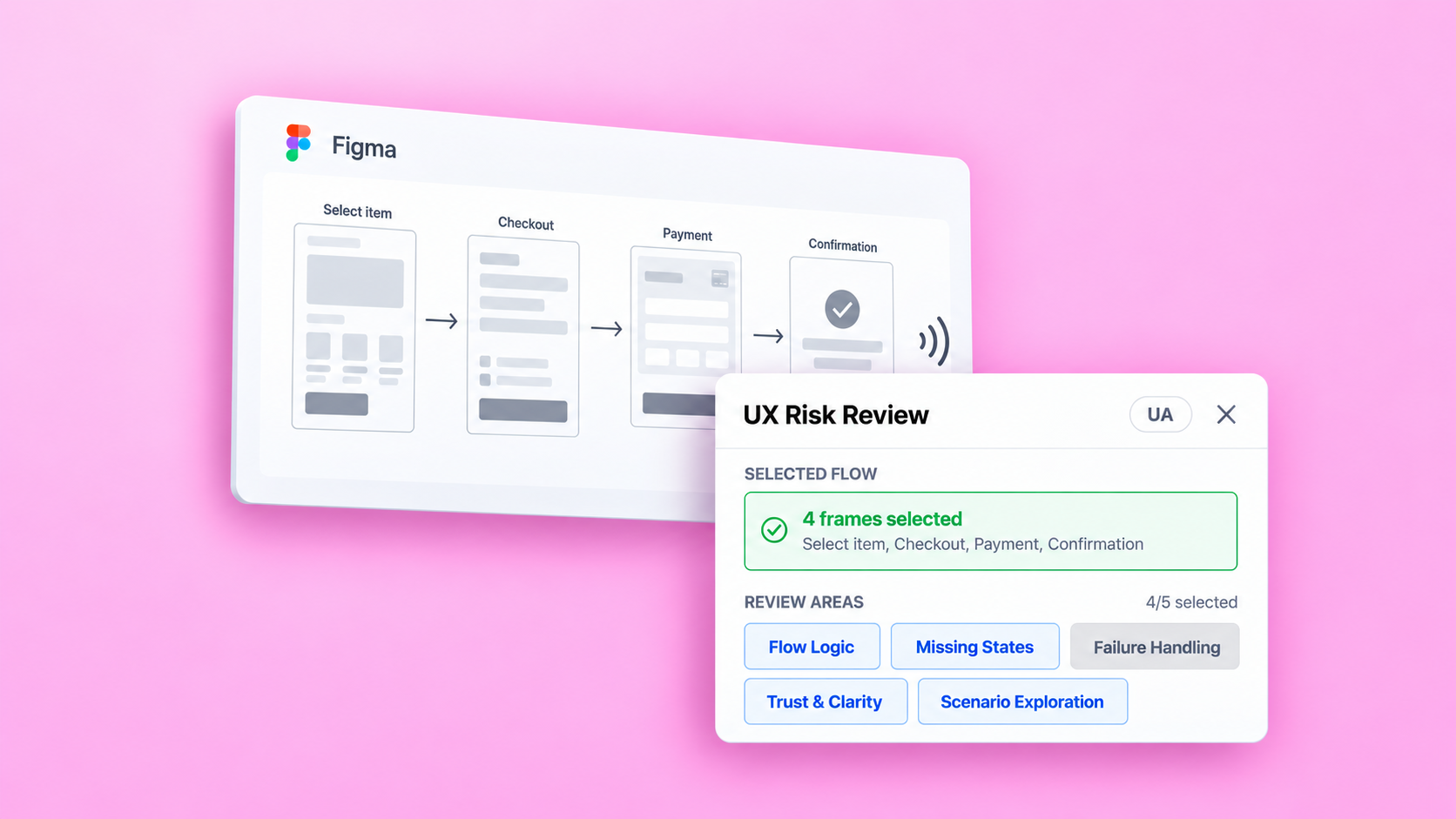
Availability above the table
This gave doctors and rooms more horizontal space,
but pushed appointments further down the screen.
A front desk workspace that connects daily appointments
delays and resource availability with the next action.
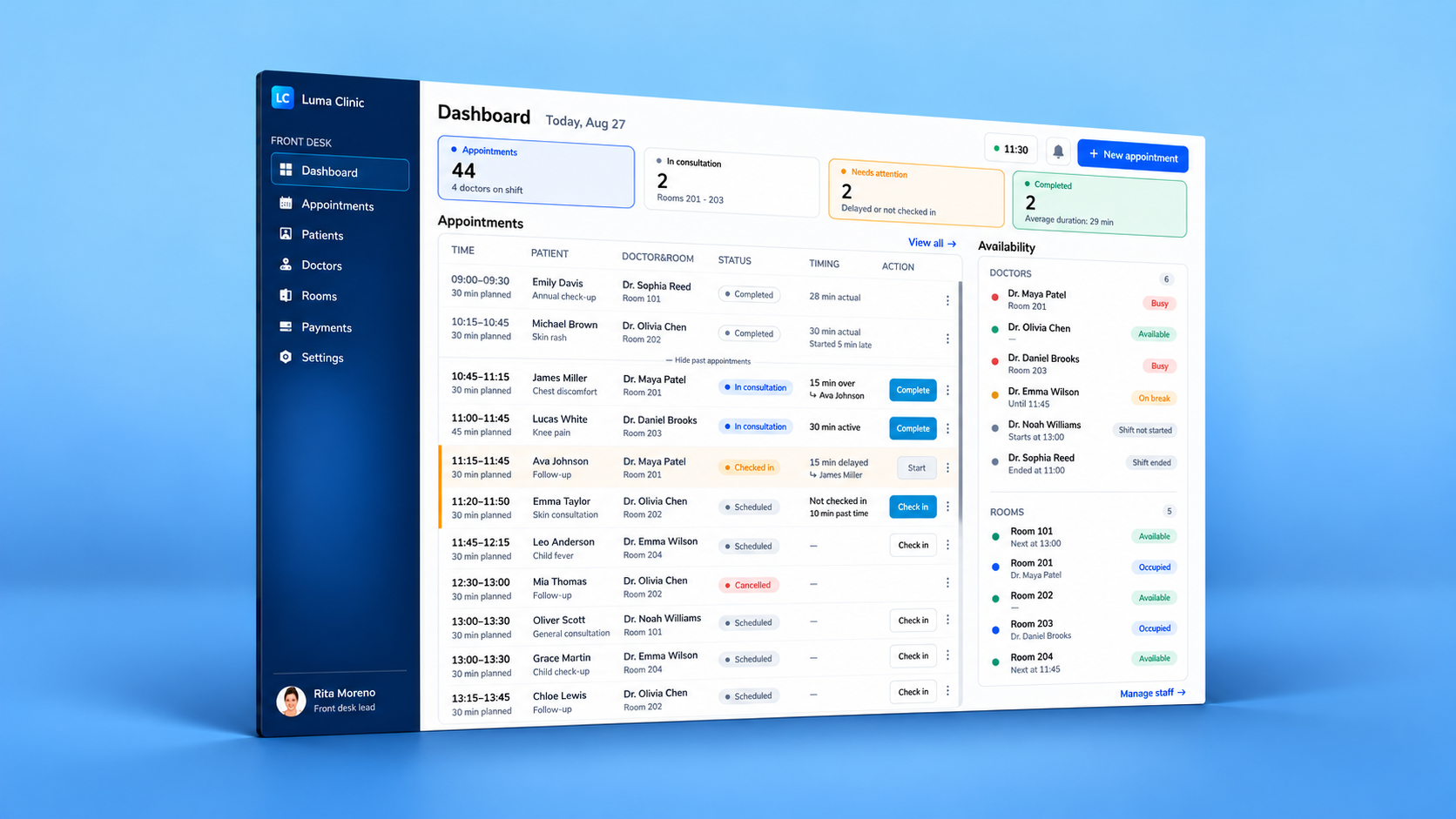
Front desk staff coordinate appointments throughout the day: checking patients in, updating appointment statuses, and monitoring doctor and room availability.
The planned schedule does not always reflect how appointments progress. When a consultation runs over, the doctor and room remain occupied, leaving the next patient waiting.
The brief defined the key data and clinic rules. The design task was to connect them in one workspace: showing appointment progress, the causes and impact of delays, and the actions available to front desk staff.
| Brief requirement | Interface rule |
|---|---|
| Brief requirement Staff update appointment statuses throughout the day. | Interface rule Each active stage has one primary action. Other options remain in the overflow menu. |
| Brief requirement Staff need to see appointment progress and delays. | Interface rule Status and timing are shown separately, so a delay does not replace the patient’s current stage. |
| Brief requirement A doctor remains busy until the previous consultation | Interface rule Start is disabled while the assigned doctor or room |
 Scheduled
 Checked in
 In consultation
 Completed
Two layouts were compared using the daily appointment list: availability above the table and availability in a side panel.
James’s consultation is 15 minutes over. The doctor and room remain occupied.
Ava is checked in and waiting. Both rows identify the linked appointment.
Ava’s Start action is disabled until the doctor and room become available.
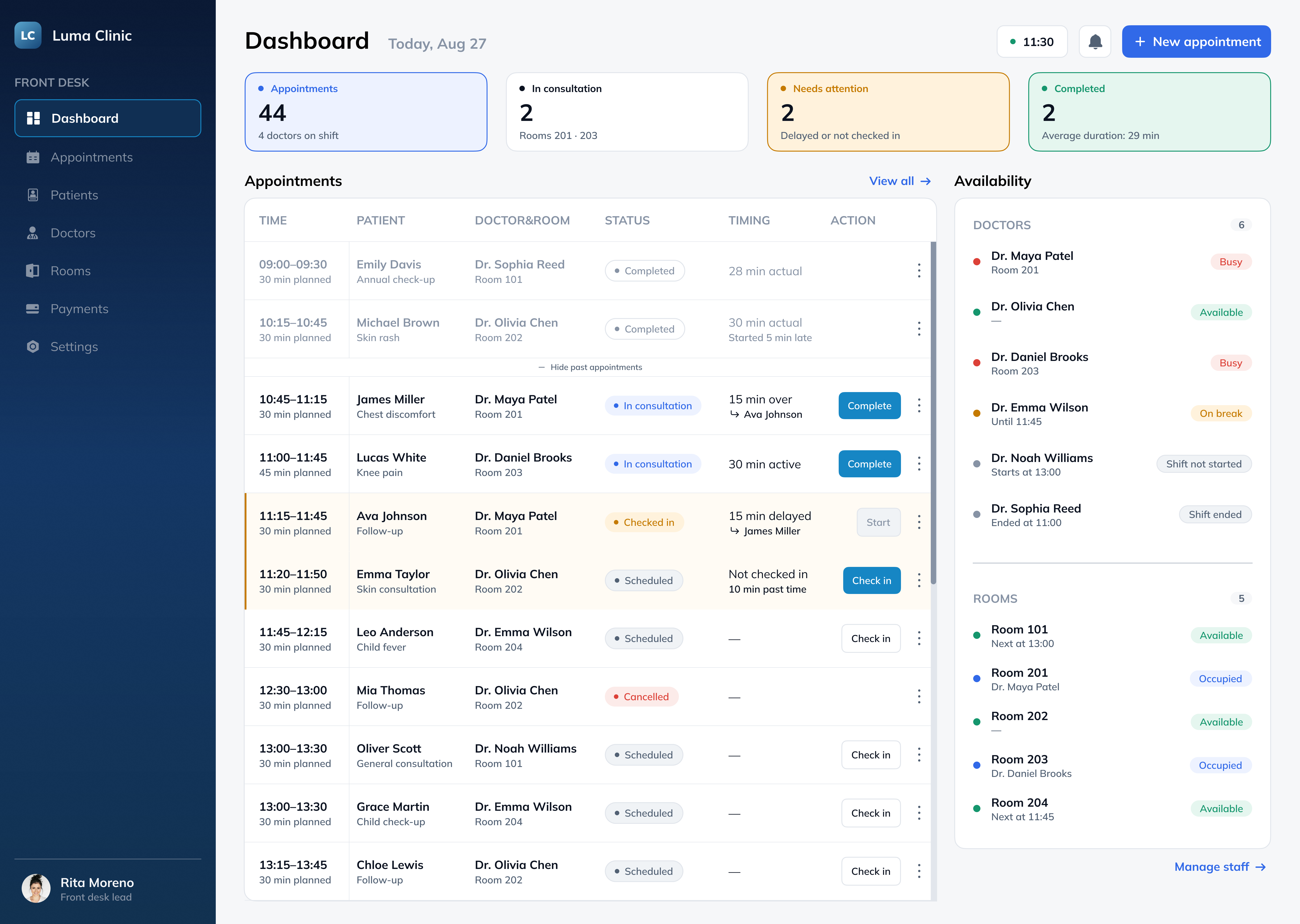
Typography, color, and reusable components define the dashboard’s visual hierarchy
and interface states.
The first round would involve moderated sessions with five clinic front desk staff who manage appointments and coordinate visits. The aim would be to assess whether they can identify a situation, understand its cause, and take the available action without an explanation of the interface.
Before testing, an interactive prototype would be prepared with appointment status changes and resource availability updates. Scenarios and sample data would be reviewed with a clinic administrator, followed by a pilot session.
| Research question | Participant task | Success criteria |
|---|---|---|
| Is the impact of a delay clear? | “It is 11:30. Ava asks why her appointment has not started. Use the dashboard to find out what is happening.” | Identifies the preceding consultation, connects it to Ava’s wait, and correctly identifies the occupied resources. |
| Are status changes and their consequences clear? | “The doctor confirms that James’s consultation has ended. Update the appointment and check whether Ava’s consultation can begin.” | Completes the correct appointment and correctly interprets the updated availability and next action. |
| Can different reasons for waiting be distinguished? | “Emma tells you she has just arrived. Record her arrival in the system.” | Updates the correct appointment without confusing a late check-in with a delay caused by a preceding consultation. |
A longer appointment list would include issues outside the initial viewport. This would help assess whether participants find appointments needing attention and where additional navigation support is needed.
Observations would distinguish completion without assistance, completion with prompts, and non-completion, alongside incorrect actions and interpretations. Participants’ explanations would help clarify the reasons behind difficulties.
Findings would guide changes to appointment links, explanations of unavailable actions,
or list navigation. Revised scenarios would then be tested again.
Doctor and room reassignment would be evaluated separately once the supporting flow has been designed.